Week 1 - Setup, Components, and Learning A Lot
Hi everyone! I’m Mish, a recent CS grad diving into web developemnt properly for the first time. I’ve been wanting to build something real for a while now, and I finally decided to just go for it. So here we are — week one of building ScriptHub, a writing app with Git-Style version control for authors!
This is my first big solo project, and I’m learning a lot as I go (including Next js and Tailwind). Its been a mix of exciting progress and “WHY ISNT THIS WORKING” moments. But still it’s been fun!
What is ScriptHub?
ScriptHub is basically version control for writers. think GitHub but for novels, short stories, whatever. you can branch your narrative (all the alternate endings you can dream of), commit changes to chapters, perform comparisons and keep all your drafts organized in one place. say goodbye to ‘_’ hell, no more "final_draft_v3_ACTUAL_final.docx" chaos.
im building it because i love writing and i love coding, and this feels like the perfect intersection of both.
Tech Stack
Here’s what im working with:
Next.js 15 - first time using it, loving the file-based routing
TypeScript - because why not learn two things at once lol
Tailwind CSS - never used it before but its growing on me
Supabase - for database and auth
React Icons - for all my icons
Figma - designed everything before touching code
And probably more to come as I keep working on this
What I Built This Week
okay so week one was all about foundation. no backend stuff yet, just getting the UI pieces in place and learning the tools.
Design System
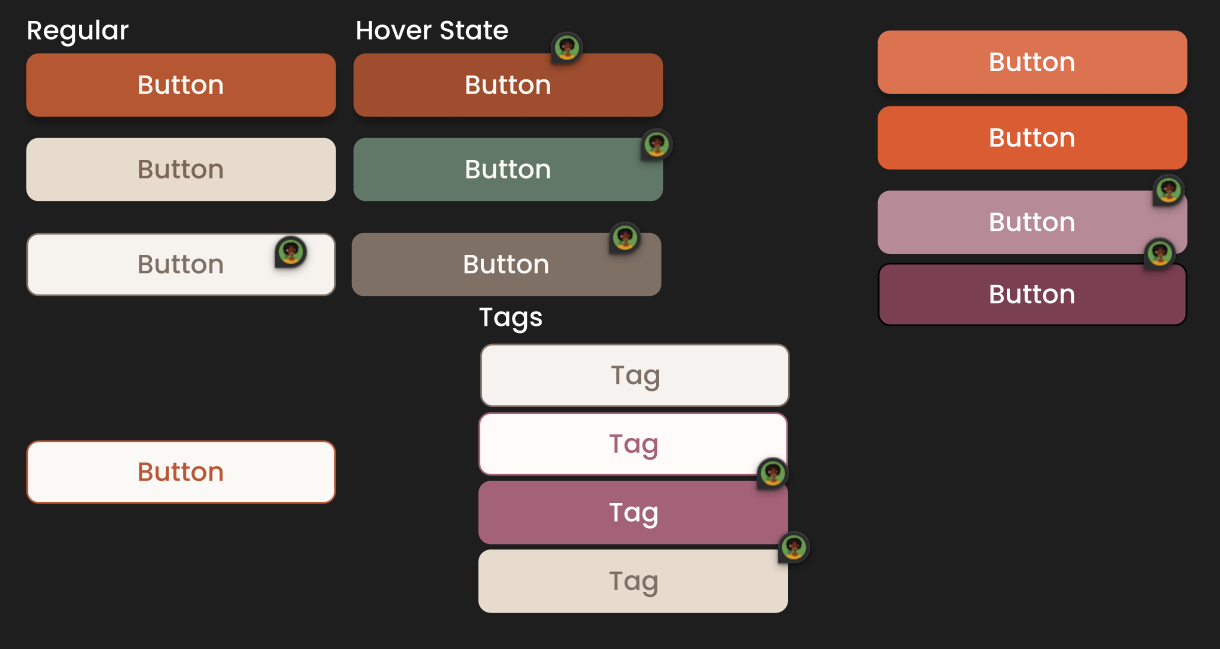
So I started in Figma and built out my entire design system (colors, typography, button styles, all of it). Having this done first made coding way easier because I wasn't making design decisions on the fly.
UI Components
built a bunch of reusable components from scratch. Could I have imported them? yes! But what would I learn from that? So here’s what I’ve made so far:
Button - supports different variants (contained, outlined, text) and colors (primary, secondary, tertiary). also made it responsive so text turns into icons on mobile
IconButton - for those icon-only buttons
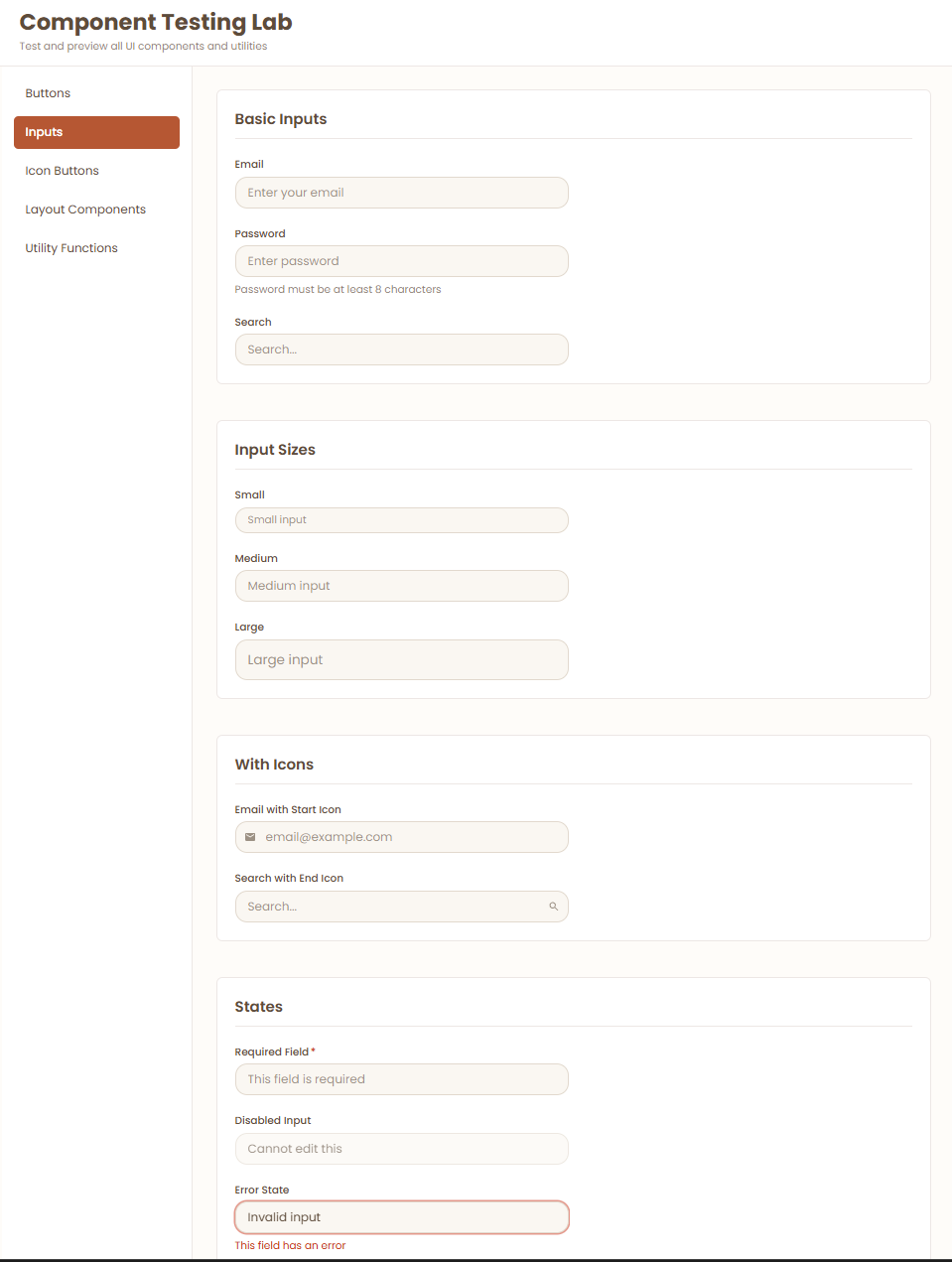
Input - text inputs with error states, labels, helper text, all that
CustomLink - link component that adapts to mobile (full width on small screens)
Card - container component for displaying content in boxes
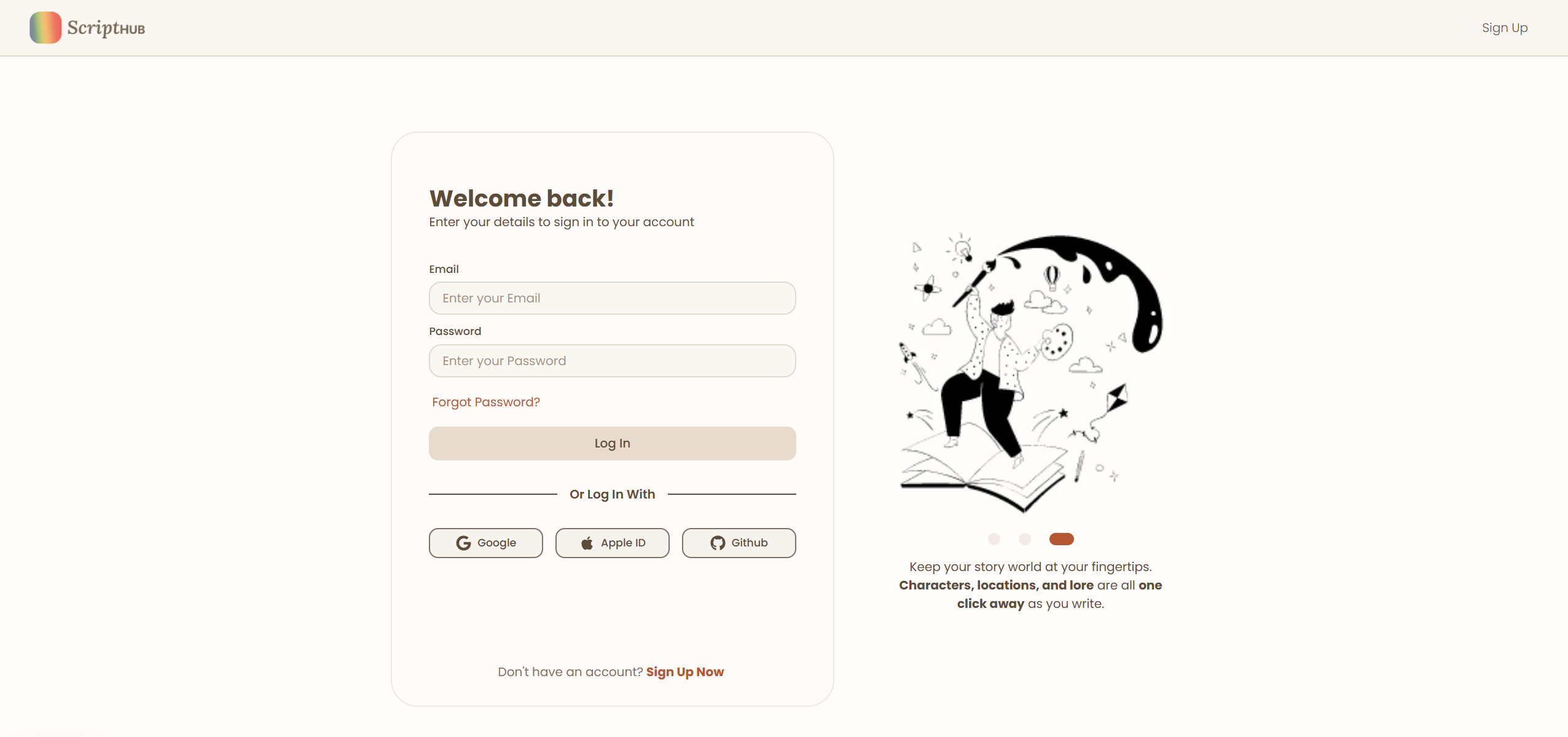
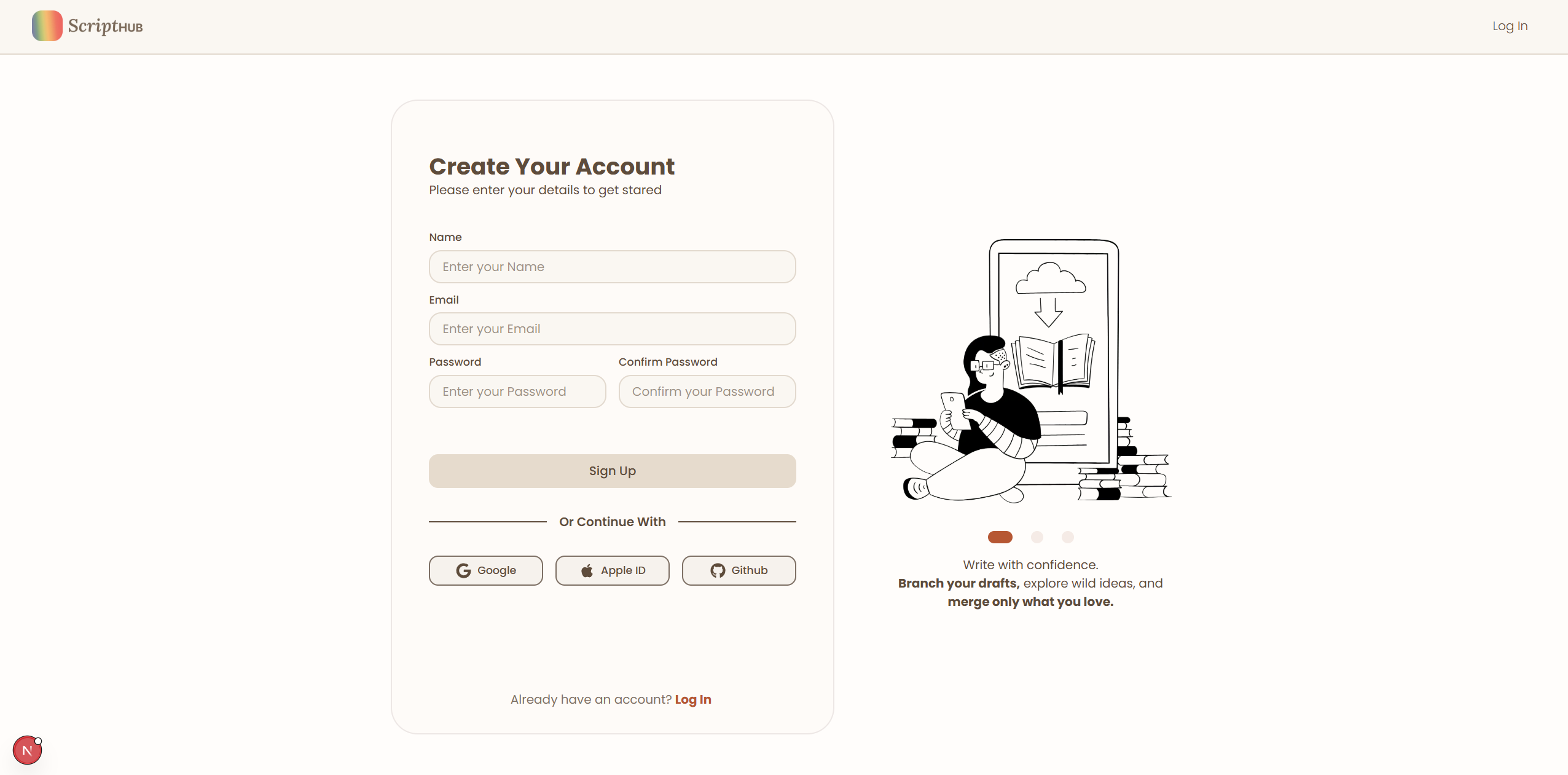
HeroSlideShow - image carousel for the login/signup pages with dot indicators. this one was fun to build! had to figure out how to make smooth transitions between slides — that took a few hours. I’ll probably come back to this to make it into a more reusable component. Or maybe not? I don’t need any more slideshows tbh.
Layout Components
Main Navbar - responsive nav that shows "Login" text on desktop but switches to a user icon on mobile. learned something about Tailwind's responsive breakpoints here.
Pages
- Homepage - hero section with the tagline and a call-to-action
Login/Signup Pages - built the layouts with the carousel. theyre not functional yet (no Supabase connection) but they look good!
Component Testing Page
made a dedicated page just for testing all my components as i build them. super helpful for seeing how everything looks side-by-side and catching styling issues early.
What I Learned
this week was a crash course in modern web dev lol. here are the biggest things:
Tailwind CSS - i was skeptical at first (so many class names :( ) but now i get it. the responsive breakpoints (md:, lg:) make mobile-first design way easier than i expected. also learned about the @apply directive and how to extend the default config— super cool btw.
Next.js Routing - coming from React Router, file-based routing felt weird at first. But honestly, it’s so much cleaner. just make a folder and boom, thats a route.
Component Composition - building everything as reusable components from the start is way better than going back and refactoring later….probably
Controlled Inputs - finally understand the whole value + onChange pattern in React. also learned the difference between onChange and onSubmit (theyre not interchangeable!!).
Accessibility - tried to keep this in mind throughout. using semantic HTML, proper labels for inputs, making sure color contrast is good. still learning but its on my radar.
Challenges & Solutions
Tailwind Config Caching changed my color config like three times and it wasnt updating in the browser. turns out you have to restart the dev server AND hard refresh the browser after changing tailwind.config.js. also learned to delete the .next folder when things get really stuck.
Image Carousel Transitions at first i was just swapping the image src which meant no smooth transitions. figured out i needed to render all slides at once and use CSS opacity/transform to transition between them. way smoother now.
Responsive Design making components adapt to mobile took some trial and error. learned that items-center on a flex/grid container is key for vertical centering, and that w-full md:w-auto is perfect for "full width on mobile, auto on desktop."
Typography Hierarchy spent way too long figuring out font sizes for everything. ended up creating a whole system: Headline (40px), H1 (28px), H2 (22px), H3 (18px), Body (16px), Small (14px), Tag (12px), Caption (12px). having this defined upfront helped a ton.
Whats Next?
next week? (might be sooner) im tackling:
Supabase setup - actually connecting the database and getting auth working
Database tables - users, books, chapters, versions
Login/Signup functionality - make those pages actually work
Dashboard page - start building the main app interface
im also thinking about how to handle the version control logic. thats the core feature so i want to get it right.
thanks for reading, and see you next week ✌️